How to Choose a Bubble Letter Alphabet Font for Typed Projects
Choose a bubble letter alphabet font by checking uppercase, lowercase, punctuation, solid versus outline shapes, readability and usage terms.
- Bubble Fonts
- Font Selection
- Character Coverage
On this page
I’ve written before about choosing a font that fits your project, whether it’s an invitation, poster or social media graphic. Today, I’ll explain how to choose a bubble letter alphabet font, which is simply another name for stylized rounded lettering.
You might see this label — “bubble” — in font listings, as you’ll sometimes see other labels like “script,” “italic,” etc. You should treat the label with care. It doesn’t say anything definitive about the font itself.
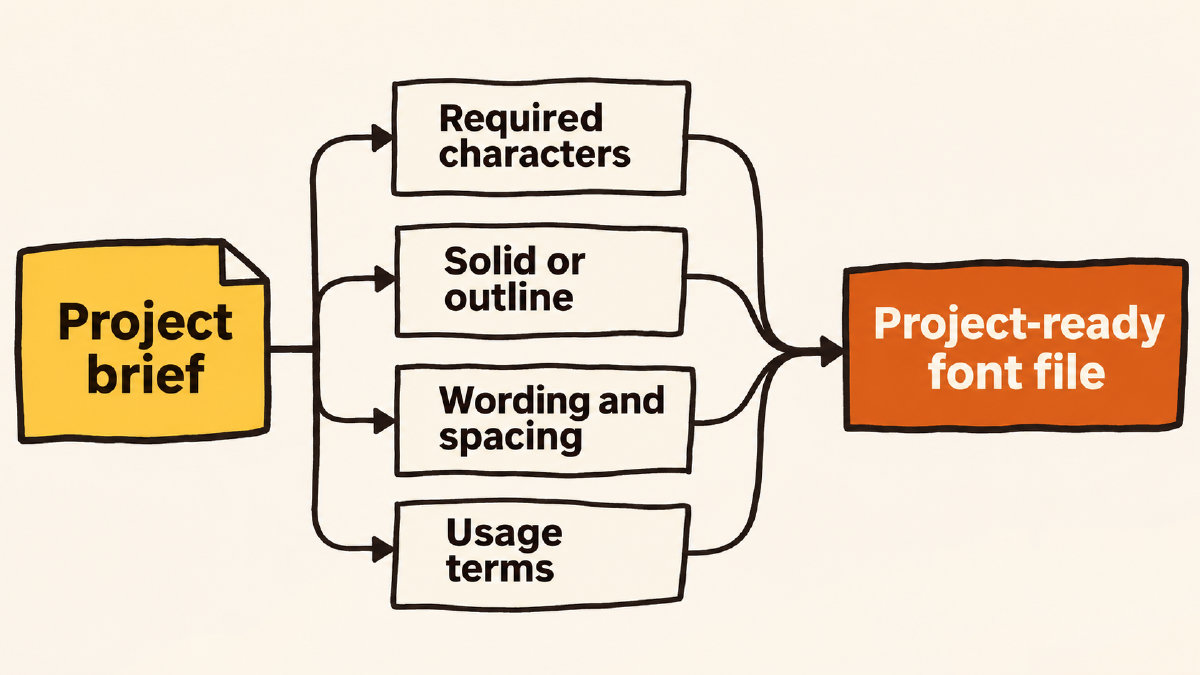
Consider Wording and Intended Size
Instead, consider the finished wording and intended size of your project. Use these two factors as a starting point to judge how well a particular font will work. If you don’t know what the project is going to look like, you won’t have much else on which to base your judgment.
If you’re typing out names (like for a party invitation), short headlines or similar words, you might want something more playful and eye-catching. On the other hand, if you’re creating a poster, packaging or stickers, you might prefer a more refined style.
Check Every Required Character
It’s important to remember that every single character required by your project should be checked against the individual font’s listing before previewing the complete wording. Simply seeing the word appear on screen isn’t sufficient proof that all of its characters are present. You should also be aware of the difference between what is listed in terms of coverage and what actually appears in a successful sample.
For example, the headline for this article is composed of 62 characters: eight uppercase letters, 44 lowercase letters and ten spaces, with no punctuation. So, even if you see a working sample, it’s not enough to assume that the font covers all necessary characters.
Bubble Pebble Sans version 0.1.3 lists 95 Basic Latin characters, including uppercase A–Z, lowercase a–z, digits 0–9 and punctuation such as apostrophes, quotation marks, hyphens and ampersands.
In the documented fixed ASCII sample, all 17 code points are mapped, and the shaped run contains no .notdef glyph. That result covers only this sample. Other strings, languages, accented or decomposed text need separate checks.
Solid vs. Hollow
Now compare solid rounded lettering with the hollow treatment your project might require. While the label says “bubble,” that doesn’t necessarily mean the design features outlines or coloring around the letter.
Bubble Pebble Sans has solid continuous black rounded strokes with short clean terminals and no outline treatment. If you need hollow letters for coloring, this example doesn’t meet that requirement.
Exact-Text Layout Check
The font page’s exact-text preview uses the final font file. You can adjust size, line height and letter spacing. Keep size fixed when comparing wrapping and line breaks. Bubble Pebble Sans has no kerning, so check the spacing supplied by individual letter side bearings. The site recommends separating event details if a decorative title makes them harder to scan.
Match Usage Terms to Your Project
Before downloading, you need to match the individual font’s usage terms to your project. Some fonts are available for personal access, while others have commercial licenses.
Bubble Pebble Sans is available as one of 5 fonts for personal use with Font Pass. Pro or Studio includes a commercial license that continues after the plan ends. Before downloading, check that the license matches your particular project.